
Getting a Remote Cancer Consultation: What You Can Achieve Without Travelling to a Clinic
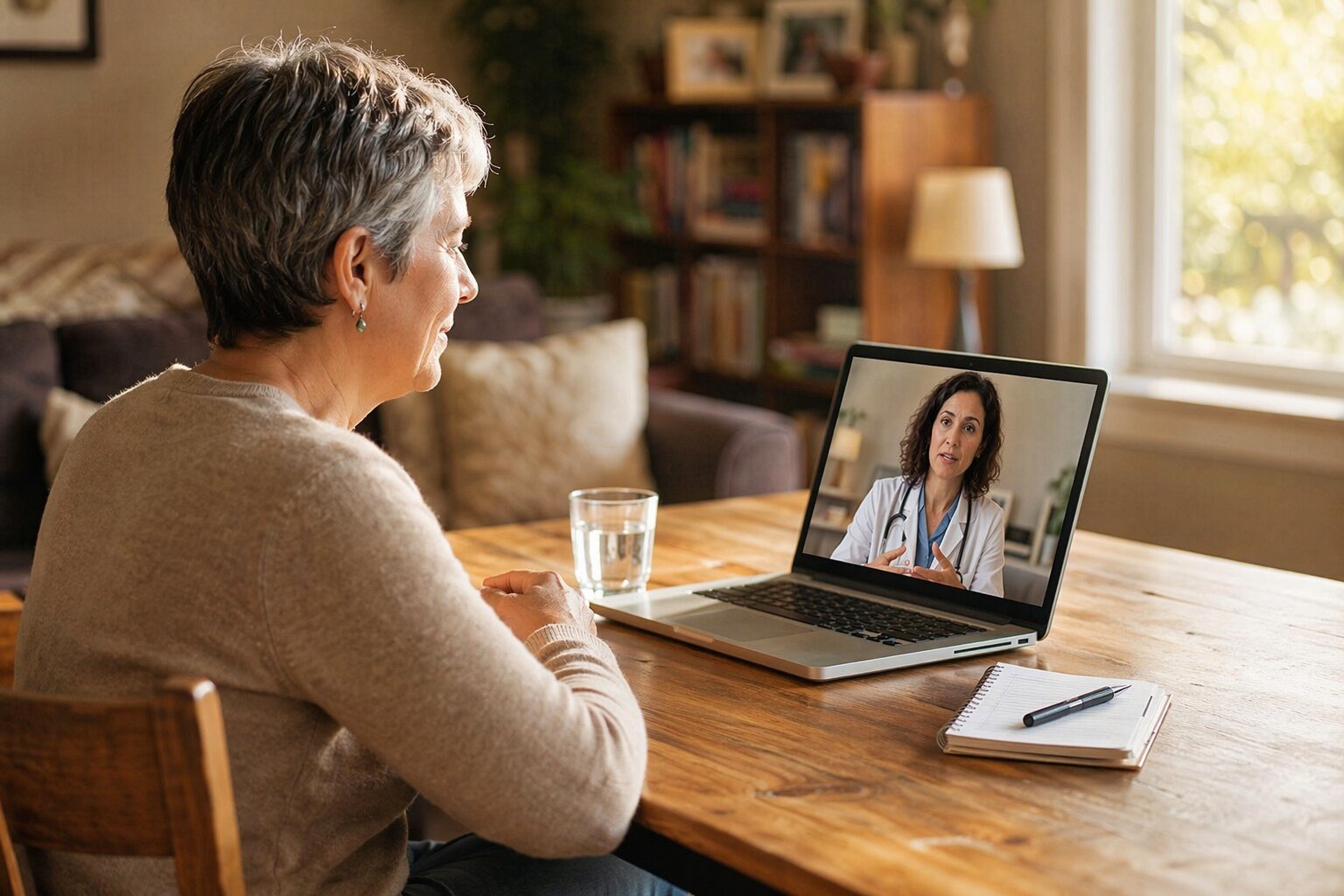
When you schedule a remote cancer consultation, you connect with your oncology team from home while still getting expert, individualized care. You can review scans and lab results, talk through new or changing symptoms, adjust medications, and plan next steps without sitting in a waiting room. You may be surprised by how much you can safely manage this way, and how to know when you truly need to be seen in person.
Telehealth Options For Cancer Care
Even when travel to a cancer center is difficult, telehealth can help you maintain regular contact with your oncology team. Virtual care has made it easier for patients to stay connected with specialists, especially when ongoing monitoring or treatment discussions are needed without an in-person visit.
Virtual visits by video or phone are often used for follow-up appointments, medication reviews or adjustments, and supportive care that don't require a physical examination.
In some cases, patients may also seek a second opinion for cancer through a remote consultation, allowing them to review treatment options with another specialist without the added burden of travel.
Secure patient portals allow you to send messages to nurses and oncologists, review laboratory and imaging results, and manage appointments through systems designed to meet HIPAA privacy and security standards. In some care plans, remote monitoring tools are used to report or transmit information such as weight, temperature, blood pressure, or certain symptoms from home.
Telehealth doesn't replace all in-person care. For example, infusions and some procedures still require clinic visits. However, many aspects of care, including some oral treatments, symptom monitoring, and treatment discussions, can often be managed remotely when clinically appropriate, creating a more flexible approach to cancer care.
What To Expect In A Remote Cancer Visit
When you use telehealth for cancer care, it's useful to understand what typically occurs during a remote visit. Most appointments are scheduled in advance as video or phone calls. You'll usually log into a virtual waiting room a few minutes before the visit.
Once connected, your oncology clinician will review any changes since your last appointment, including new or ongoing symptoms, medication updates, and treatment side effects. You'll also have the opportunity to ask questions and discuss concerns in real time.
You may be asked to send recent test results, symptom diaries, or home measurements, such as blood pressure, weight, or temperature, through a secure online portal before or during the visit.
If there are technical problems with the video connection, your care team will typically follow a backup plan, most often switching to a phone call, to ensure the visit can still take place.
What Remote Cancer Visits Can And Can’t Do
Remote cancer visits can support many aspects of care, but they also have defined limits. Video or phone appointments are commonly used for follow-up visits, review of scan or lab results, medication management, and discussions about symptoms and side effects.
They can also be useful for pain control, emotional support, and coordinating services while reducing travel time and time spent in waiting rooms.
Telehealth is generally most appropriate when a detailed physical examination or procedure isn't required.
Certain services can't be delivered remotely, including infusions, imaging studies, biopsies, and other procedures that require specialized equipment or direct physical assessment.
However, clinicians can adjust medications such as chemotherapy-supportive drugs, review symptoms in detail, and determine whether you need an in-person evaluation or urgent care.
Most care plans use a combination of remote and in-person visits, and clinics typically have a backup plan, often by phone, if video technology doesn't work.
Cancer Symptoms And Issues You Can Address From Home
Many routine aspects of cancer care can be managed safely at home, depending on your condition and your care team’s recommendations. Common issues that may be addressed remotely include monitoring new or changing symptoms, discussing nausea, pain, or neuropathy, and reviewing instructions for taking medications correctly.
Certain stable follow‑up appointments, such as going over scan or lab results, can often be conducted through telehealth. In some cases, remote monitoring devices can transmit data such as weight, blood pressure, or temperature to your care team, which may help them identify changes in your condition sooner.
Secure messaging systems or patient portals can be used to report non‑urgent symptoms, request minor medication adjustments, or ask clarifying questions about your treatment plan.
It is important to have a clear plan, developed with your oncology team, that outlines which symptoms are appropriate to manage from home, when to contact the clinic, and when to seek urgent or emergency care. This plan should specify who to call, what information to provide, and where to go if symptoms suddenly worsen.
How Remote Visits Support Chemotherapy And Other Treatments
Beyond routine symptom check-ins at home, remote visits can also support several structured components of chemotherapy and other treatments.
While most infusions still require in‑clinic appointments, telehealth can be used for many related tasks, such as reviewing laboratory results, confirming that you're medically stable to proceed with treatment, and adjusting medications for nausea, pain, or neuropathy.
During virtual follow‑up visits, the care team can assess whether side effects are appropriate to manage at home or if they warrant prompt in‑person evaluation.
In selected cases and with appropriate safeguards, some patients may receive home‑infusion services.
Using Portals And Remote Monitoring In Your Cancer Care
During in‑person visits, your cancer care team focuses on examinations, treatments, and discussing your plan of care. Outside of these visits, a secure online patient portal and basic home monitoring devices can support ongoing communication and symptom tracking.
A patient portal typically allows you to:
- Send and receive non‑urgent messages with your oncology team
- Review lab and imaging results once they're released
- Manage appointments, including scheduling and confirmations
Enabling notifications (for example, email or text alerts) can help you see new results or clinician messages promptly. This may support earlier recognition of side effects or changes in symptoms, which you can then report to your care team.
Remote‑monitoring devices, such as home blood pressure cuffs, digital scales, or thermometers, can record and sometimes transmit data like blood pressure, weight, or temperature trends to your clinicians, depending on how your system is set up. These data can contribute to assessments of how you're tolerating treatment and whether additional evaluation is needed.
Patient portals are generally appropriate for routine or non‑urgent questions. For urgent issues, such as sudden or severe symptoms, high fever, chest pain, difficulty breathing, or rapid worsening of your condition, you should call your clinic’s emergency line, your local emergency number (such as 911), or seek immediate in‑person medical care, according to the instructions provided by your healthcare team.
When Remote Cancer Visits Are A Safe Choice
When your condition is stable and you don't need a physical examination, remote cancer visits can be a safe and practical option. They're often appropriate for routine follow-ups, reviewing scan or laboratory results, adjusting medications for mild or well-controlled side effects, supportive care check-ins, and many second-opinion consultations.
Telehealth can reduce exposure to respiratory infections such as influenza or COVID-19 by limiting time spent in clinics and waiting rooms, which is particularly relevant for people who are immunosuppressed. However, chemotherapy and most other infusions still need to be given in person; home infusion options are limited and typically reserved for carefully selected patients.
Reliable communication is important for safety. Before your visit, ensure that your video and audio setup works, and have a telephone backup in case the connection fails. Contact your care team promptly or seek urgent in-person care if you experience new, rapidly worsening, or severe symptoms, as these may require immediate assessment rather than a remote visit.
Choosing Between Remote And In-Person Cancer Appointments
When deciding between remote and in-person cancer appointments, it can help to separate what requires direct, hands-on care from what can be handled safely by phone or video.
Telehealth is often appropriate for stable follow-up visits, reviewing test results, adjusting medications for mild or expected side effects, and discussing survivorship or long-term monitoring plans.
In-person visits are generally necessary for treatments and evaluations that depend on physical contact or specialized equipment.
This includes infusions, imaging studies, biopsies, and detailed physical examinations.
Face-to-face assessment is particularly important for new, unclear, or worsening symptoms, and when major treatment decisions depend on the clinician’s direct examination.
Telehealth can lower exposure to infections during chemotherapy and reduce the burden of travel, especially for those living far from treatment centers or with limited mobility.
It's useful to have a backup communication plan, such as a telephone number to call if the video connection fails, to avoid interruptions in care.
Practical Tech And Communication Tips For Remote Cancer Visits
Even before you connect with your cancer specialist, using a few practical technology and communication steps can make remote visits more effective. Check that your device, internet connection, camera, microphone, and speakers are working properly 5–10 minutes before your appointment.
When possible, join from a quiet, well‑lit space so you can see and hear clearly and your clinician can see and hear you.
Use your patient portal to review your appointment details, recent lab results, imaging reports, and any messages from your care team.
Turn on notifications if available, as this can help you receive updates or instructions before and after your visit.
Before the appointment, write down a brief list of your main questions and concerns, and have an up‑to‑date list of all medications and supplements readily available.
This can support a more focused and accurate discussion.
If the video connection fails, call the clinic’s backup phone number or follow the alternative contact instructions provided in your appointment reminder.
If you need captions, sign language interpretation, screen‑reader compatibility, or other accessibility features, contact the clinic ahead of time so they can arrange appropriate accommodations.
Conclusion
Remote cancer visits give you meaningful access to your care team without the strain of travel. You can review results, adjust medications, and discuss symptoms in real time from home. When you need scans, infusions, or exams, your team will guide you to in‑person care. By using telehealth, patient portals, and simple tech tools, you’ll stay closely connected, speak up about changes early, and share decisions about your treatment with more comfort and flexibility.